Showing posts with label Tile. Show all posts

Friday, September 21, 2018

Tile Wizard API - Part 4 - Dynamic Target Page

I previously wrote a series of posts on Tile Wizard API which allows us to control the display of the Tile Content using PeopleCode.

Part 1: Dynamic Tile Content
Part 2: Dynamic Tile Images
Part 3: Dynamic Tile Styling

These posts mainly focused on the content of the Tile as expected because the Application Class delivered by Oracle was mainly for the purpose of manipulating 'Tile Content'.

Marcin Tomczak asked the question:
"Can we make the tile point to a different external page than the tile itself?"

This made me wonder if we can dynamically change the target/destination page (internal/external) of a tile using PeopleCode? It is technically not a feature as per the design/implementation of the Tile Class. But there is an error/exception processing option that is available which might enable us to "hack" the Tile Class to do something it was not originally intended for.

Tile Class Properties - hasContent
Tile Class Properties - PreferencesURLLabel
Tile Class Properties - PreferencesURL

The hasContent property allows us to enable the error/exception mode where we can set a different image, destination URL and URL label. While it is technically not an error scenario in this case, we can still set it in error/exception mode to dynamically modify the Tile destination/target page!

Demo

- As you can see in the demo, the Tile 'Dynamic Target' is created using Tile Wizard with a destination page as 'My System Profile'. This destination has no significance because the 'Disable Main Hotspot' is set to 'Yes'.
- Once the role 'SV_ROLE_1' is added to PS user, we can see the new image and 'My Preferences' URL is enabled for the 'Dynamic Target' tile via the Tile App Class.
- When the role is switched to 'SV_ROLE_2', we can see the 'Change My Password' URL is enabled for the 'Dynamic Target' tile via the Tile App Class.
- When the role is switched to 'SV_ROLE_3', we can see the 'Google Search' external URL is enabled for the 'Dynamic Target' tile via the Tile App Class.


 Tile Wizard Settings


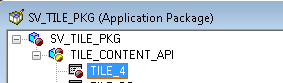
App Package PeopleCode

Environment Details
- CS 9.2 PUM Image 4
- PeopleTools 8.55.12

Monday, April 17, 2017

Fluid UI - Tile Wizard API - Part 3 - Dynamic Tile Style

This is a continuation of the Fluid UI - Tile Wizard API series: Part 1 and Part 2. In this part, we will explore the Tile Wizard API further to dynamically style tiles and more importantly find an option to target specific tiles to apply custom style classes.

In the past (refer Fluid UI - Styling Tiles - Part 1 and Part 2), I wrote about the challenges with the way the id attribute is auto-generated in the tile html (div elements).

E.g.: In the screenshot below, the div element for the 'Financial Account' Tile in the Student Homepage has an id attribute value of win0divPTNUI_LAND_REC_GROUPLET$2.


The number 2 in the id attribute value denotes that it is the third (starting with 0) tile on the Homepage. This auto numbered id value is still unique enough to target the elements under this div and apply custom styles using css selectors (e.g.: make the 'Financial Account' tile title appear in red color, etc.). But this assumes that the end users or even the administrators will not change the order of the tiles either via Personalizations or via administrative pages (structure and content). If such events occur, then it would be a bit complex to apply a style class targeted to a specific tile. This was the main reason I created an Idea on My Oracle Support to request this ability as a PeopleTools enhancement.

With this background, I got really excited when I saw that we could potentially use the Tile Wizard API for applying targeted styles to a tile using the TileID and the TileSpecificStyleSheet properties of the Tile Wizard Class.

Environment Details:
- CS 9.2
- PUM Image 4
- PeopleTools 8.55.12

TileID Property Quirk:

But first, I found some quirky behavior with the TileID property. When I tried to set the TileID for the custom tile 'My Team' which I created in Part 2, it did not really update the id attribute on any of the elements that are part of the Tile. Instead the value was added to the class of the Tile Content area. This appears to be a bug from my understanding. If you are finding different results then please leave a comment with your experience!

PeopleCode:


We can see that the id attribute of the tile - where we would have expected the update - is still unchanged, whereas strangely the value is added to the class of the Tile Content area. Bug?

Using the TileSpecificStyleSheet Property:

While it is evident with the name of this property that it is specific to a tile, it does not necessarily mean that it will only be applied to the target tile. Basically, the style sheet is added to the response which may or may not be specific to the target tile depending on the style class selectors in the style sheet.

Let us say we added a custom style sheet to the 'My Team' tile using the TileSpecificStyleSheet property.


Scenario 1:

Let us add the following style to the freeform style sheet to set a different color to the Tile Title.

SV_TILE_CSS Style Sheet:


Results:

We can see that all the tiles on the homepage are affected by this style class. This is because the style class does not have any targeted css selectors and therefore will be applied to all tiles on the homepage.


Scenario 2:

Let us add another style - this time specifically targeting the 'My Team' tile using css selectors - to change the color of the Live Data text.

SV_TILE_CSS Style Sheet:


Results:


Overall, while there are workarounds, it would be great if the TileID property works as expected (perhaps in the future releases of PeopleTools?) which would allow us to easily write custom style classes to accurately and effectively target specific tiles.

Friday, April 14, 2017

Fluid UI - Tile Wizard API - Part 2 - Dynamic Tile Images

This post is a continuation of my previous article on the Tile Wizard API, where I described how we can use the Tile Wizard API to dynamically update the Tile Content.

In this post, we will see how we can use the Tile Wizard API for another similar and more common use case to display a dynamic image based on certain conditions.

For the purposes of this post, let us assume that we want to create a Tile called 'My Team' that displays a different image and live data based on the user's security role assignment.

Demo:


Tile Wizard Setup:

NavBar > PeopleTools > Portal > Tile Wizard > Create Tile


App Package PeopleCode Implementation:


PeopleCode for Reference:

import PTGP_APPCLASS_TILE:Tiles:Tile;

class TILE_2 extends PTGP_APPCLASS_TILE:Tiles:Tile
   method TILE_2();
   method getTileLiveData();
end-class;

method TILE_2
   %Super = create PTGP_APPCLASS_TILE:Tiles:Tile();
end-method;

method getTileLiveData
   /+ Extends/implements PTGP_APPCLASS_TILE:Tiles:Tile.getTileLiveData +/
  
   If IsUserInRole("SV_CSK") Then
      rem %This.setTileImageRef("SV_CSK"); /* Method equivalent */
      %This.ImageReferenceField.Value = Image.SV_CSK;
      /* Live Data */
      %This.TileLiveData_1 = "Chennai Super Kings";
   End-If;
  
   If IsUserInRole("SV_RCB") Then
      rem %This.setTileImageRef("SV_RCB"); /* Method equivalent */
      %This.ImageReferenceField.Value = Image.SV_RCB;
      /* Live Data */
      %This.TileLiveData_1 = "Royal Challengers Bangalore";
   End-If;
  
end-method;

Tuesday, April 11, 2017

Fluid UI - Tile Wizard API for Dynamic Tile Content

PeopleTools 8.55 introduced the Tile Wizard App Classes which enable us to use the API to dynamically modify Tile Content.

PeopleBooks: Tile Wizard Classes

There are three main areas in the Tile where we can add dynamic content - Tile Content, Live Data and Badge.

Here is an example of how we can use the Tile Wizard Classes to dynamically update the content of a Tile as shown in the example below.


Step 1: Implement a custom App Class that extends PTGP_APPCLASS_TILE:Tiles:Tile


Notes:
- Make sure the App Package contains a Sub Package. Otherwise, we might run into errors as stated in this HEUG Technical Forum discussion.
- We can use the %This.SetTileContentAs... methods - %This.SetTileContentAsTwoKPIs() in this case - to override the "Tile Content Type" configured using the Tile Wizard (which we will perform in step 2).
- We can also use the various Tile Class Properties to set the Tile Content (e.g.: KPI values and labels), Live Data (values, trend image and metrics formatting) and Badge Data.

Step 2: Create Tile using Tile Wizard

NavBar > PeopleTools > Portal > Tile Wizard > Create Tile


Notes:
- We can see that the App Class created in step 1 is referenced as the Data Source.
- Also, the "Tile Content Type" is set to Image in the Wizard configuration level (although it will be overwritten using PeopleCode).
- Similarly, the "Tile Badge" is set to "No" in the Wizard configuration but it can be overwritten using PeopleCode.


Note:
- For the purposes of this example, I set the Target Page to "PS Unit". This can be set to anything as per our requirement.


Note:
- The Tile image is set to PTFP_DEFAULT_CLOUD as a dummy. It will not be used in this case, because we will be overriding the "Tile Content Type" via PeopleCode.


Step 3: Add Tile to a Fluid Homepage

Fluid Home > Action Menu > Personalize Homepage


Results:


Environment Details:

- CS 9.2
- PUM Image 4
- PeopleTools 8.55.12

Related Posts:
Part 2
Part 3

PeopleCode for Reference:

import PTGP_APPCLASS_TILE:Tiles:Tile;

class TILE_1 extends PTGP_APPCLASS_TILE:Tiles:Tile
   method TILE_1();
   method getTileLiveData();
end-class;

method TILE_1
   %Super = create PTGP_APPCLASS_TILE:Tiles:Tile();
end-method;

method getTileLiveData
   /+ Extends/implements PTGP_APPCLASS_TILE:Tiles:Tile.getTileLiveData +/
  
   %This.SetTileContentAsTwoKPIs();
   /* 1 KPI tile content */
   %This.TileKPI_1 = %This.getAmountFormattedValue(1.23456789, "USD");
   %This.TileKPI_1_Label = "KPI1_1 Label";
   %This.TileKPI_2 = "KPI_2";
   %This.TileKPI_2_Label = "KPI_2 Label";
  
   /* Live Data */
   %This.TileLiveData_1 = "LD_1";
   %This.TileLiveData_2 = "LD_2";
   %This.TileLiveData_3 = "LD_3";
  
   /* A trend arrow is an optional element of live data. */
   %This.hasLivedataTrendImage = True;
   %This.TrendImage = %This.k_strTrendDownImage;
  
   /* Metrics Formatting */
   %This.isTileLiveData_1_Metrics = True;
   rem %This.isTileLiveData_2_Metrics = True;
   rem %This.isTileLiveData_3_Metrics = True;
  
   /* Badge */
   %This.hasLiveDataCount = True;
   %This.TileTransCount = 7;
  
end-method;

Tuesday, September 13, 2016

Fluid UI - Custom Development - Styling Tiles - Part II

I previously described, in this blog post, how I ran into an issue with a Fluid tile and needed a way to apply some custom style overrides on the tile image.

In the same vein, a reader asked a question on this post, if there is a way to apply similar style overrides on the tile title? We should be able to follow a similar approach to achieve something like that.

This question proves that there is definitely a case to enhance the Fluid tile configuration to allow us to apply style overrides. If you agree, then please take a moment to vote for this Idea on My Oracle Support Community.

Here are the steps to target a tile title and apply custom style overrides:

Step 1: Identify the id of the tile title

All tile title elements will have a unique id property as follows PTNUI_LAND_REC_GROUPLET_LBL$29. Here 29 is the number that uniquely identifies my tile title.


Step 2: Apply custom style override

I simply added the following custom style at the very end of my 'Fluid - Global Override Style Sheet' (CSK_BRAND_FLUID_TEMPLATE) referenced on my custom Branding Theme (CSK_THEME_FLUID). Refer: PeopleTools 8.55.x - Branding - Part I for more details. 


Note: We can adjust the margin property as per the custom requirement.

Results:


Considering Small Form Factor:

When I said the id property is unique, I was not 100% accurate. It appears that it may vary depending on the form factor we are on. It is mostly true that the id property will be unique but if we are on small form factor (SFF), then it is likely that there may be other tiles that are suppressed. This suppression of tiles on SFF causes renumbering of tile id properties. There is nothing we can do about it because it is how PeopleSoft generates the HTML for the tiles.

That said, we could identify the SFF id property for the tile and write RWD - Media Query to supplement the CSS that I previously described.

Step 3: Identify the id property for SFF

In my case, it turned out to be PTNUI_LAND_REC_GROUPLET_LBL$23.


Step 4: Add media query for SFF

Again, I simply appended to my existing CSS that I used in step 2.


Results:


Saturday, July 9, 2016

Fluid UI - Custom Development - Twitter Feed As a Tile

Fluid Tiles can display dynamic content. I was curious how we can use the Fluid Tiles to display dynamic content from an external source, e.g.: Twitter Feed.

Here are the steps I followed to create a Fluid Tile which displays a Twitter Feed.

Step 1: Create a Twitter Widget using your Twitter account

Twitter > Settings > Widgets

Enter your Search Query and configure your widget settings as per your requirement. Copy the HTML code that is provided at the bottom right of the page.


Step 2: Store the Twitter HTML in a HTML Object


Step 3: Create an IScript that renders the Twitter HTML


PeopleCode for Reference:

Function IScript_Twitter_Feed()
   %Response.Write(GetHTMLText(HTML.CSK_TWITTER_FEED));
End-Function;

Step 4: Create a Fluid Content Reference with Tile Properties referencing the Twitter IScript

I created a Content Reference as a Non-Peoplesoft URL and referenced the custom IScript (created in Step 3) in the Content Reference > Fluid Attributes > Dynamic Tile Content section.


Results:

Now we are ready to test this tile. I added it to a custom homepage and voila!


Fluid UI - Custom Development - Styling Tiles

In this post, I will write about how we can style any custom tiles that we might be creating for Fluid UI.

Why would we want to do that?

I created a custom Fluid component/page and created a Fluid Content Reference.


Now my icon1 image (CSK_CC_SCAN) for my custom tile ended up as follows:


Notice how the icon is not position appropriately? Sure, I can create an image with the desired alignment and spacing. But wouldn't it be better to just adjust the style on the tile image to add some alignment/margin properties?

If you see the Content Reference - Fluid Attributes - Tile Information, there is no way to assign a custom style to the Tile.

How do we associate styles to custom tiles?

I simply added the following custom style at the very end of my 'Fluid - Global Override Style Sheet' (CSK_BRAND_FLUID_TEMPLATE) referenced on my custom Branding Theme (CSK_THEME_FLUID). Refer: PeopleTools 8.55.x - Branding - Part I for more details.


CSK_CC_SCAN$30 is the id attribute generated on the HTML for my custom tile.


Now, we can see the results from the image above that my custom tile icon is displayed in the desired position with a top margin of 25px.

If you think this would be a good feature to add to the 'Fluid Content Reference - Tile Information' section, then please vote for this idea on My Oracle Support.

1 - Icon made by Freepik from www.flaticon.com